CLOUDROCKER Live: the free screen recorder for Mac.
Screen recordings that look professional, no editing skills required. CLOUDROCKER Live automatically zooms in on your clicks, smooths your cursor and puts your video on a beautiful background. Record. Automatically beautiful. Done.
Record your screen, ready in a minute.
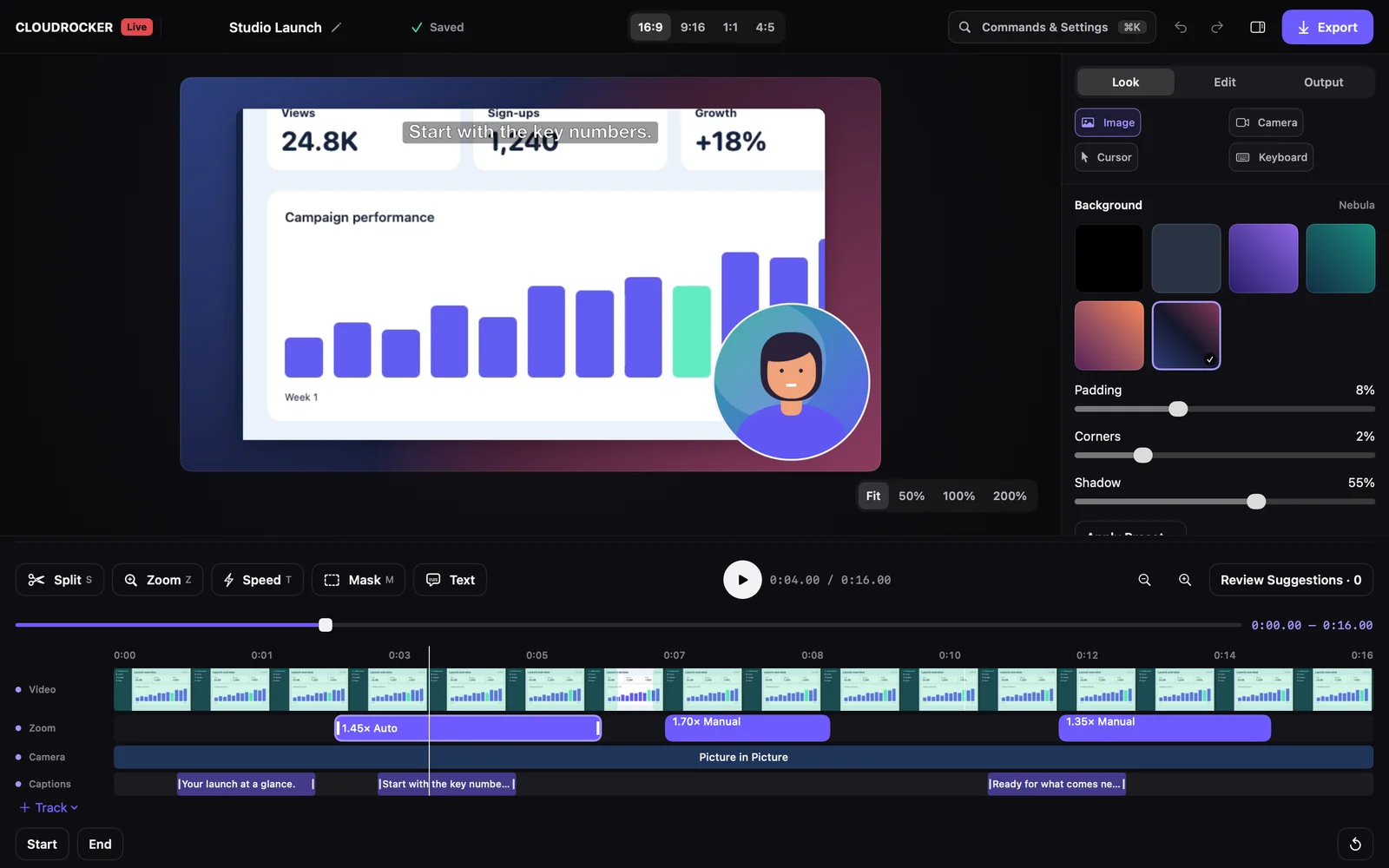
The welcome screen walks you through the permissions macOS asks for. After that, one click on New Recording is all it takes. A sample project lets you try everything right away.
- Full screen, window, area or iPhone/iPad
- Microphone, system audio and webcam
- Only the permissions you actually need
Zooms that set themselves.
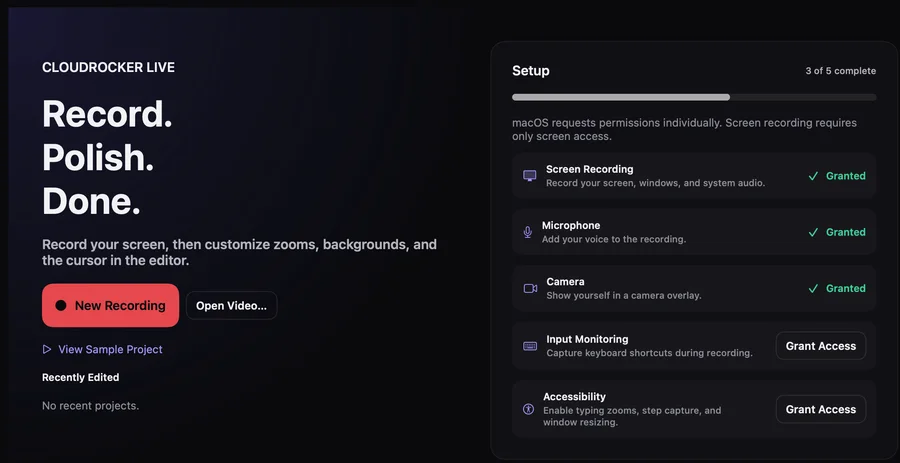
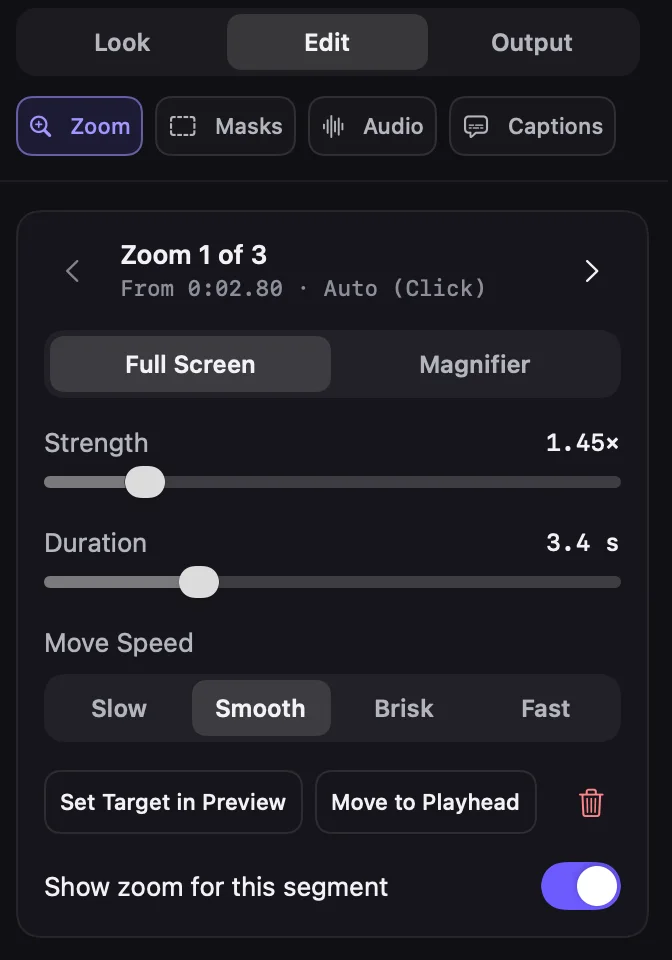
Wherever you click or type, the video zooms in automatically. Adjust strength, duration and motion speed for each zoom. Backgrounds, padding, rounded corners and shadows turn a plain recording into a video people enjoy watching.
- Automatic click and typing zooms, full frame or magnifier
- Cut, change speed and draw masks with keyboard shortcuts
- 16:9, 9:16, 1:1 and 4:5 in one click
Export. Done.
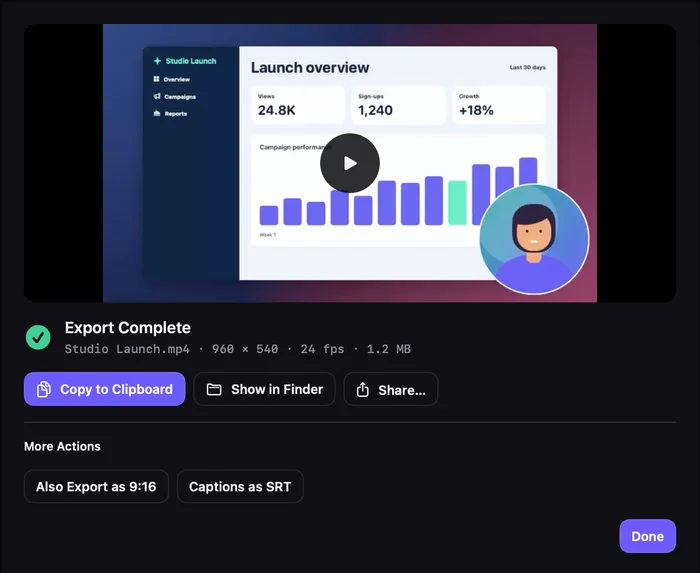
Pick resolution, codec and captions and export several formats in one go. The finished video is ready on your clipboard, in Finder or in the share menu, and also as 9:16 for Reels and Shorts if you like.
- MP4, MOV, ProRes or GIF, up to 4K and 60 fps
- Captions burned in or as SRT and VTT
- Export queue for multiple versions
One recording, every format.
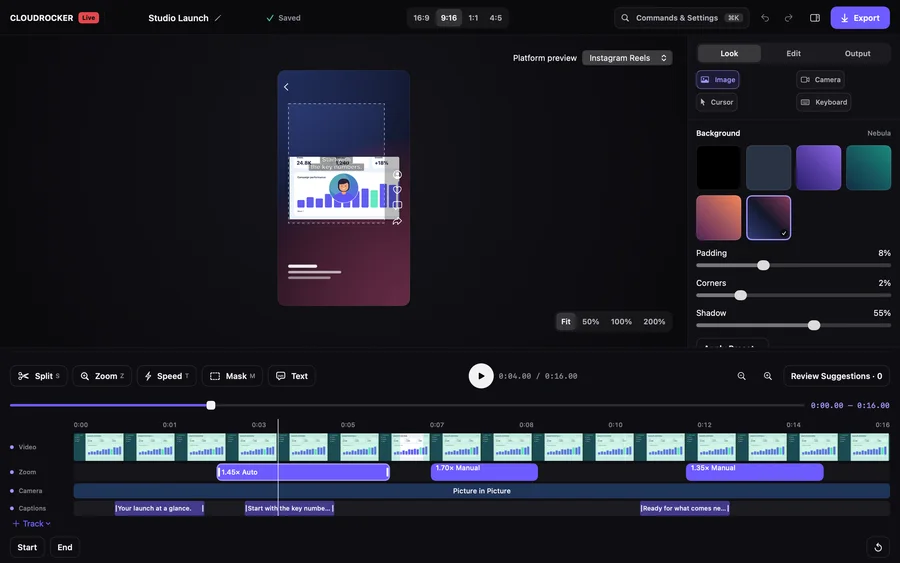
Turn one recording into landscape for YouTube, vertical for Reels, TikTok and Shorts, square or 4:5 for the feed, in one click. The platform preview shows where the app's interface would sit, so nothing important gets covered.
- 16:9, 9:16, 1:1 and 4:5 from the same recording
- Platform preview for Instagram Reels and more
- Background, camera and captions adapt automatically
Everything included. Nothing costs extra.
Screen, window or area
Record your whole Mac, a single app like Excel or any area you drag. In native Retina resolution or fixed 4K.
iPhone and iPad via USB
Plug in, pick the device as source, done. In the editor your recording gets a device frame and the right aspect ratio.
Webcam and background removal
Camera as a bubble, split view or cut-out person that automatically moves out of the cursor's way. Built-in camera, external webcam or iPhone as Continuity Camera.
Visible mouse and keyboard
Smoothed cursor, click highlights, click sounds and motion blur. Keyboard shortcuts you press are shown on screen.
Audio, music and teleprompter
Microphone and system audio, music that ducks automatically when you speak. The teleprompter scrolls along, optionally following your voice.
Edit by text
A local transcript shows what was said. Delete a word and the clip is cut. The app finds filler words and pauses for you.
Privacy built in
Detects email addresses, IBANs, phone numbers and credentials on screen and suggests masks. Draw your own masks with M.
Guides at the push of a button
Turn a recording into an illustrated step-by-step guide: as PDF, Word, Markdown or a clickable HTML demo.
Captions and chapters
Captions in several styles, also translated, as SRT or VTT or burned in. Chapter suggestions on macOS 26.
- Download and install. Open the disk image, drag CLOUDROCKER Live to Applications, launch it.
- Allow access. Grant screen recording on the welcome screen. Microphone and camera only if you need them.
- Record. New Recording, pick a source, go. The editor opens when you stop.
- Export. Set start and end, pick a format, share.
All steps and keyboard shortcuts are in the user guide (PDF).
Your data stays on your Mac.
Recordings, transcripts and analyses are processed locally. The app only connects to cloudrocker.de to check for updates and downloads speech models only with your consent. No account, no tracking in the app. Details in our privacy policy (German).
Is CLOUDROCKER Live really free?
Yes. The app is free, with no subscription, no trial period and no account. Exports have no watermark.
Which Mac do I need?
A Mac with Apple Silicon (M1 or later) running macOS 15 Sequoia or later. AI features such as chapter suggestions require macOS 26.
Does it run on Intel Macs?
No, CLOUDROCKER Live runs on Apple Silicon Macs only.
Is the app available in English?
Yes. Since version 0.47.0 the app follows your macOS language: German if your Mac is set to German, English otherwise. You choose transcript, caption and guide languages independently.
Is the app safe?
The app is signed with an Apple Developer ID and notarized by Apple. macOS checks this automatically on first launch.
How do I get updates?
The app can check for new versions automatically and asks before installing anything. You never need to download it again.
Is CLOUDROCKER Live a free alternative to Screen Studio?
Yes. CLOUDROCKER Live offers automatic zooms, a smoothed cursor, backgrounds, a webcam bubble and export in several formats. Unlike many paid screen recorders it is free and needs no subscription. (Screen Studio is a trademark of its owner. CLOUDROCKER Live is an independent product with no affiliation.)
Can I record my screen with audio?
Yes. CLOUDROCKER Live records system audio and your microphone, together with your webcam if you like. Music gets quieter automatically as soon as you speak.
Where are my recordings stored?
On your Mac. Recordings, transcripts and analyses are processed locally. The app only connects to cloudrocker.de to check for updates and downloads speech models only with your consent.
Free. For every Mac with Apple Silicon.
Download CLOUDROCKER Live and record your first video today.